-->

Fixed Social Media Sidebar For Blogger Awesome

In  This Tutorial  We Are  Gonna  Explain  How  To Add  Attractive Fixed Social Media Sidebar for Blogger .   By Using This Widget  You  Can  Link  Your   Social  Media  Profile Facebook,   Twitter  , , Rss . Check The  Demo  From  Below  Link.
STEPS-->
  •  Now select "Layout


  •  Click' Add A Gadget' and select 'HTML/Javascript'


  • Paste  The Code Below On The It.
<style> .fixedmenu{ background:url('https://blogger.googleusercontent.com/img/b/R29vZ2xl/AVvXsEhNyZZkB6o8twmQ0DdfvKfpIJJWhXc2t_En-NJu19lUR2DQWbyuBitJKMr2OHCt0HVKFcqzZzOedkFrGLJhu6Kq8i4FjBOjKjp3aMAnJnBBHFJweaxQfaH3wgh_mEapjKhKDShexwKXI-k/s1600/facebook.png');background-repeat:no-repeat;width:43px;height:43px;position:fixed;right:0px;top:160px; z-index:1000;} .fixedmenu1{ background:url('https://blogger.googleusercontent.com/img/b/R29vZ2xl/AVvXsEiMiHEVI_jCtGfeW8u_GDzIoLG5TYob_dNtKD_gCoUhzhO9346F0B_Zmah7ey48s7M25MKOUr6DMTT5MgbzQIMvpfrZgbsaEwph4tuGvakbXoLbt1iRO6yW9Z5mMpBmdd3oS669SVnaAqs/s1600/facebook-hover.png');background-repeat:no-repeat;width:150px;height:43px;position:fixed;right:0px;top:160px; z-index:1100;} .fixedmenu_1{margin:0px 0 0 43px} .fixedmenutw{background:url('https://blogger.googleusercontent.com/img/b/R29vZ2xl/AVvXsEjU4ETCuaKAzXfOTBC5DkbtqgfEH8-UFSAEAFMDDQ5j1h1yT3-xSzRe686Q-xpspK1RFXLyxk-MdUsssQfydFk-6yJm3P-6DkGUhCa15NpVuPPhvSzKewq0i1GheGEmFlQ3SB75NHlzeSA/s1600/twitter.png');background-repeat:no-repeat;width:43px;height:43px;position:fixed;right:0px;top:205px;z-index:1000;} .fixedmenutw1{background:url('https://blogger.googleusercontent.com/img/b/R29vZ2xl/AVvXsEhMH-VhTyhL7_0uF68GTALU5GIxwFFQJu0VfaHBdX_-QgH1bvk5pAsHW7a86mFOC1icD4v3XioSskN0Ycx7RtKAZhX4seR3_JLhITxwDzY71a4Nfvm8FR0REQ0lXubma_upBHdx7YCWTUE/s1600/twitter_hover.png');background-repeat:no-repeat;width:150px;height:43px;position:fixed;right:0px;top:205px; z-index:1100;} .fixedmenutw_1{margin:0px 0 0 43px} .fixedmenufb{background:url('https://blogger.googleusercontent.com/img/b/R29vZ2xl/AVvXsEguM9_1XNebKiq5Irb93ql80VoBo3wQf95WG_fKjCnfdHIaHZCM_3na-TbEqgwXwUFLg1kvMjBvzRY6bVzWwyEmIFQNmJIiLrikHqnpKOv2oA9L01ooRJ74lU9L8CgQlWBk-x_NI8LqFlQ/s1600/Gplus.png');background-repeat:no-repeat;width:43px;height:43px;position:fixed;right:0px;top:250px; z-index:1000;} .fixedmenufb1{background:url('https://blogger.googleusercontent.com/img/b/R29vZ2xl/AVvXsEgvUQprCwE0rWpwaK9FwDIjlW7Xc0EAnUll6L2DOlkI-CM2XBMmI32t90jXk7M1SWEM2jKsCMarj2Exj7xOif3m8mjmbVxc3xnq960cxTofGl6hujkqIFeVbFhXtDqXY_XHX5kP3Eda96k/s1600/Gplus_hover.png');background-repeat:no-repeat;width:150px;height:43px;position:fixed;right:0px;top:250px; z-index:1100;} .fixedmenufb_1{margin:0px 0 0 43px} .fixedmenurss{background:url('https://blogger.googleusercontent.com/img/b/R29vZ2xl/AVvXsEje4VbK-zXRqe04GghKpNECFtQ1ZcYTepmKW1oUSCCpq47O0VTkdTwdxBdq8Lg40NCeNo8xCBoxY6qRzKUgp55S74wmYPREYnWE2MhN4GlokuTZKOX-go7J1VOJLgGZC6uzASXOaoFP8NQ/s1600/rss.png');background-repeat:no-repeat;width:43px;height:43px;position:fixed;right:0px;top:295px; z-index:1000;} .fixedmenurss1{background:url('https://blogger.googleusercontent.com/img/b/R29vZ2xl/AVvXsEhd7tsLR_NFE3CMwwadHuSa-NEnZL-qXOpA-ehOF9W4lZZF8GQKGqfKldeCKqEtGQdvVjgcm5VX7egxtM6rYBfHEVxNKMXg4wQMKBKDPEu7r1vba34hv-qnLpc1sa6WKodf8GszJg8kg_8/s1600/RSS-hover.png');background-repeat:no-repeat;width:150px;height:43px;position:fixed;right:0px;top:295px; z-index:1100;} .fixedmenurss_1{margin:0px 0 0 43px} </style> <div class='fixedmenu' onmouseout='this.className=&apos;fixedmenu&apos;' onmouseover='this.className=&apos;fixedmenu1&apos;'><div class='fixedmenu_1'> <a href='https://www.facebook.com/username' target='_blank'><img alt='Like us on Facebook' src='https://blogger.googleusercontent.com/img/b/R29vZ2xl/AVvXsEhegOnm7z_JPnt2L3nTtvbNpFAIfs9psjQydx0tRjHijR7BAPwjmzd6tpjQg6VncrrOIDDI0TVthnm2ez2WWnFiB7ub3WzbK9broQkIxW3D-eo9dpD8Ad4A1PoJISOjNrEzaWlOcF76nxE/s1600/facebook-hover1.png' title='Like us on Facebook'/></a><br/> </div></div><div class='fixedmenutw' onmouseout='this.className=&apos;fixedmenutw&apos;' onmouseover='this.className=&apos;fixedmenutw1&apos;'><div class='fixedmenutw_1'> <a href='https://twitter.com/username' target='_blank'><img alt='Follow us on Twitter' src='https://blogger.googleusercontent.com/img/b/R29vZ2xl/AVvXsEjD4rtXV1P8fL62aOgR_4nz0HnDyQCx2egkCDEH4RvbY7NZFsz6wCfv6UQ-8x5_BimSlG8z4D9E60LVMkoRRa4jyE80tttBhM6jDzoBh16mfGe50vR93gorYv0AXruJsVOzKyxX2zVs7t0/s1600/twitter_hover1.png' title='Follow us on Twitter'/></a><br/> </div></div><div class='fixedmenufb' onmouseout='this.className=&apos;fixedmenufb&apos;' onmouseover='this.className=&apos;fixedmenufb1&apos;'><div class='fixedmenufb_1'> <a href='https://plus.google.com/ID' target='_blank'><img alt='Recommend us on Google Plus' src='https://blogger.googleusercontent.com/img/b/R29vZ2xl/AVvXsEgz1JxnWCOmSrooNnNg9sMyiHRoUxUZaGo0kwqFIAoFVNnFduBrID9rlotJYEeqC1m9t2tZnqLeV7xuT47ecPWi8QdGjtS_I-G8ZakF9Yu5jAmIgw7n8Gaf8JCGUUvRKnMssqmmfQvJ-K0/s1600/Gplus_hover1.png' title='Recommend us on Google Plus'/></a><br/> </div></div><div class='fixedmenurss' onmouseout='this.className=&apos;fixedmenurss&apos;' onmouseover='this.className=&apos;fixedmenurss1&apos;'><div class='fixedmenurss_1'> <a href='http://feeds.feedburner.com/username target='_blank'><img alt='Subscribe me on RSS' src='https://blogger.googleusercontent.com/img/b/R29vZ2xl/AVvXsEim0AQt0OZEc3Q6fsCBJFTMgBg3HxuyNCVhBrOLElG4f9UXJahfEDzarqOC5hGTlCzP4iP2u7f6VNidCtEA8PAsZsJW2OYricUv5Jt9QpXbJyYj6kU9k-OfW0NKXYsGNS1Mc-gYRf8vuPQ/s1600/RSS-hover1.png' title='Subscribe me'/></a><br/> </div></div>
  • Replace It  With Your  Facebook ID's ,Twitter Username,RSS......
http://www.facebook.com/toonnetworkindia
http://twitter.com/toonnetworkindia
http://feeds.feedburner.com/toonnetworkindia
http://www.youtube.com/username
http://pinterest.com/code


  •      Click 'Save '
That's It Folks You Are Done!

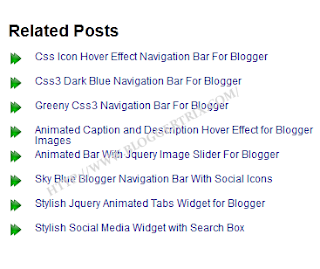
How to Add Blogger Related Links to Below Blog Posts

In this tutorial im gonna explain, how to add blogger related link list below posts.So, this is the exact one of bloggertrix related post. By using this trick,It helps to keep your readers in your website too long.It more important for increase pageviews and SEO as well.Few months ago i posted about Thumbnail View With Related Post For blogger. So, those who are not interested in links style, you can go for thumbnail effect.

Every steps are explained well.If you have a problem, just comment below.And im not gonna make new demo for this tutorial like i do.You can get a demo, end of this article.happy blogging. :)


Blogger-Related-Links

How to Add Blogger Related Links to Below Blog Posts


1. Go to Blogger Dashboard > Template
2. Backup your template
3. Click on Edit HTML
4. Find  ]]></b:skin>   and add below code just below it

/* The CSS Code for the menu starts here bloggertrix.com
<!--Related Posts Scripts and Styles Start-->
<!--Remove--><b:if cond='data:blog.pageType == &quot;item&quot;'>
<style type='text/css'>
#related-posts {
float:center;
text-transform:none;
height:100%;
min-height:100%;
padding-top:5px;
padding-left:5px;
}
#related-posts .widget{
padding-left:6px;
margin-bottom:10px;
}
#related-posts .widget h2, #related-posts h2{
font-size: 1.6em;
font-weight: bold;
color: black;
font-family: Georgia, &#8220;Times New Roman&#8221;, Times, serif;
margin-bottom: 0.75em;
margin-top: 0em;
padding-top: 0em;}
#related-posts a{color:#0c0080;}
#related-posts a:hover{color:#0ab0fd;}
#related-posts ul{
list-style-type:none;
margin:0 0 0px 0;
padding:0px;
text-decoration:bold;
font-size:12px;
text-color:#000000
}
#related-posts ul li{
background:transparent url(https://blogger.googleusercontent.com/img/b/R29vZ2xl/AVvXsEgUitXPfhLdlWo8L3XHHcy0GVHnuXHw_hQ7XaMrpiNlR5az5ohL0LLnEd0sYGX-BpR8pihpHwnbBeTcZA4U7hXPpGae6Xk8mg0gXZinV0HT-wkJpO0ciJGPseoDhvhY5e8tM1voIezdO1w/s1600/btrix_arrow-icon.png) no-repeat ;
display:block;
list-style-type:none;
margin-bottom: 13px;
padding-left: 30px;
padding-top:0px;
height: 20px;
margin-top: -5px;}

  #related-posts ul li:hover{
background:transparent url(https://blogger.googleusercontent.com/img/b/R29vZ2xl/AVvXsEha3RNjLwUyHULkEoLPuRa6wAjPKOYGP-n4KY9oKAjPD6VfgrMkjpSTUNev7I8pfLBHxSZX-HtjvNTr7b4CLqdvW3UojB7j7GxAz2NoGl_4DaZgz7Q94O0c2uAfjR404do7mnU4xLNzb5M/s1600/btrix_arrow-icon2.png) no-repeat ;
display:block;
list-style-type:none;
margin-bottom: 13px;
padding-left: 30px;
padding-top:0px;}</style>

5. Again  Find  <div class='post-footer-line post-footer-line-3'>  and add below code just below it
<!-- Bloggertrix Related Posts Code Start-->
<b:if cond='data:blog.pageType == &quot;item&quot;'>
<div id='related-posts'>
<b:loop values='data:post.labels' var='label'>
<b:if cond='data:label.isLast != &quot;true&quot;'>
</b:if>
<b:if cond='data:blog.pageType == &quot;item&quot;'>
<script expr:src='&quot;/feeds/posts/default/-/&quot; + data:label.name + &quot;?alt=json-in-script&amp;callback=related_results_labels&amp;max-results=6&quot;' type='text/javascript'/></b:if></b:loop>
<script type='text/javascript'>
var maxresults=10;
removeRelatedDuplicates(); printRelatedLabels(&quot;<data:post.url/>&quot;);
</script>
</div>
</b:if>
<!-- Related Posts Code End-->
You can change maxresult as your like ( how many related posts need to visible)

8. Now save your Template.

You are done. If you have any problem related to  How to Add Blogger Related Links to Below Blog Posts. Just leave a comment.I will help to you.

Awesome-Best Hover Style Social Media Widget For Blogger

In This Tutorial We Are Gonna  Explain How  To Add  Awesome-Best Hover Style Social Media Widget for Blogger.  By  Using This Awesome-Best Hover Style Social Media Widget for Blogger  You  Can  Link  Your   Social  Media  Profile Facebook, Twitter And  Rss  Google Plus And Pinterest. Check The  Demo  From  Below 


STEPS-->


  •  NOW SELECT "LAYOUT


  •  CLICK' ADD A GADGET' AND SELECT 'HTML/JAVASCRIPT'


  • PASTE  THE CODE BELOW ON THE IT.


<style> .StarsBloggingSocialButtonsBorder { margin:0 auto; padding:5px; width:auto; border-radius:5px; border: 1px #BBBBBB solid; } #bloggertrix-SexySocialButtons{ list-style:none; text-decoration:none; font-size:0.9em; font-family:trebuchet ms,sans-serif; } #bloggertrix-SexySocialButtons a{ text-decoration:none; font-family:trebuchet ms,sans-serif; } #bloggertrix-SexySocialButtons li{ position:relative; height:38px; cursor:pointer; padding: 0 !important; } #bloggertrix-SexySocialButtons .facebook, .googleplus, .YouTube, .rss, .twitter{ position:relative; z-index:5; display:block; float:none; margin:5px 0 0; width:210px; height:38px; border-radius:5px; background:url(http://1.bp.blogspot.com/-JKq0eFFwx34/UGx39fhHO_I/AAAAAAAABE4/56i9phAS2do/s1600/NBT+Sprites+Social+Icons.png) no-repeat; background-color:rgba(217,30,118,.42); -webkit-box-shadow:rgba(0,0,0,.28) 0 2px 3px; -moz-box-shadow:rgba(0,0,0,.28) 0 2px 3px; box-shadow:rgba(0,0,0,.28) 0 2px 3px; color:#141414; text-align:left; text-indent:50px; text-shadow:#333 0 1px 0; white-space:nowrap; line-height:32px; -webkit-transition:width .25s ease-in-out,background-color .25s ease-in-out; -moz-transition:width .25s ease-in-out,background-color .25s ease-in-out; -ms-transition:width .25s ease-in-out,background-color .25s ease-in-out; -o-transition:width .25s ease-in-out,background-color .25s ease-in-out; transition:width .25s ease-in-out,background-color .25s ease-in-out; -o-box-shadow:rgba(0,0,0,.28) 0 2px 3px; } #bloggertrix-SexySocialButtons li:after{ position:absolute; top:0; left:50px; z-index:2; display:block; height:38px; color:#ffffff; content:attr(data-alt); line-height:32px; } #bloggertrix-SexySocialButtons .icon{ overflow:hidden; color:#fafafa; } #bloggertrix-SexySocialButtons .facebook{ width:32px; height:32px; background-color:rgba(59,89,152,0.42); background-position:0 0; } #bloggertrix-SexySocialButtons .twitter{ width:32px; height:32px; background-color:rgba(64,153,255,0.42); background-position:0 -33px; } #bloggertrix-SexySocialButtons .googleplus{ width:32px; height:32px; background-color:rgba(228,69,36,0.42); background-position:-3px -66px; } #bloggertrix-SexySocialButtons .YouTube{ width:32px; height:32px; background-color:rgba(174,45,39,0.42); background-position:-2px -95px; } #bloggertrix-SexySocialButtons .rss{ width:32px; height:32px; background-color:rgba(255,102,0,0.42); background-position:-3px -126px; } #bloggertrix-SexySocialButtons li:hover .icon, .touch #bloggertrix-SexySocialButtons li .icon{ width:210px; } .touch #bloggertrix-SexySocialButtons li .facebook, #bloggertrix-SexySocialButtons li:hover .facebook{ background-color:rgba(59,89,152,1); } .touch #bloggertrix-SexySocialButtons li .twitter, #bloggertrix-SexySocialButtons li:hover .twitter{ background-color:rgba(64,153,255,1); } .touch #bloggertrix-SexySocialButtons li .googleplus, #bloggertrix-SexySocialButtons li:hover .googleplus{ background-color:rgba(228,69,36,1); } .touch #bloggertrix-SexySocialButtons li .YouTube, #bloggertrix-SexySocialButtons li:hover .YouTube{ background-color:rgba(174,45,39,1); } .touch #bloggertrix-SexySocialButtons li .rss, #bloggertrix-SexySocialButtons li:hover .rss{ background-color:rgba(255,102,0,1); } </style> <div class="bloggertrixSocialButtonsBorder"> <ul id="bloggertrix-SexySocialButtons"> <li data-alt="Follow us on Facebook"><a class="icon facebook" href="https://www.facebook.com/technophysx">Follow us on Facebook</a></li> <li data-alt="Follow us on Twitter"><a class="icon twitter" href="https://twitter.com/technophysx">Follow us on Twitter</a></li> <li data-alt="Follow us on Google+"><a class="icon googleplus" href="https://plus.google.com/technophysx">Follow us on Google+</a></li> <li data-alt="Subscribe us on YouTube"><a class="icon YouTube" href="https://youtube.com/technophysx">Subscribe us on YouTube</a></li> <li data-alt="Subscribe with RSS"><a class="icon rss" href="http://feeds.feedburner.com/technophysx">Subscribe with RSS</a></li></ul></div>

Replace It With Your Facebook ID's ,Twitter Username,RSS......


  • http://www.facebook.com/toonnetworkindia 
  • http://twitter.com/toonnetworkindia 
  • http://feeds.feedburner.com/toonnetworkindia 
  • http://www.youtube.com/username
  •  http://pinterest.com/code 
  •  Click 'Save ' 
  • That's It Folks You Are Done!

Stylish Social Media Widget with Search Box

Social media is very important in these days.In this tutorial im gonna explain,how to add social media widget with search box for blogger.Social media always helps to bring quality and fast traffic to your blog.All bloggers must use social medias sites like Facebook, Twitter,Linkdin.By sing this social media widget, you can link with your social profiles.And other thing is, this widget include with search box too. So, you can save your blogger side bar space by using this 2 in 1 widget.In this  post  im gonna  explain  how to add social media  widget with light search box for your blog. Im using css3 and HTML for this widget.
Stylish+Social+Media+Widget+Search+Box
1. Go to Blogger Dashboard > Layout
2. Click Add Gadget and select 'HTML/Javascript'
3. Paste below code.


<style>
#btrixwidget{width:307px;
padding:0 0 5px 0;
border:1px solid black;}
#btrix-searchbox {
    border-radius: 5px;
    background: URL(https://blogger.googleusercontent.com/img/b/R29vZ2xl/AVvXsEg9NmQzvgH_nzVeAkzxEBJiXsq495CS6TSnWcMSrawkfKbbHBvqI3oDDzprPvMtBwT-QXgx1Yol1tWMYHt50w9a99AJ2TeOXDn-hiUZSzbVw-usILbNZPMVUgaojJhilM0e0rtTF0pER5JY/s1600/blue.png) no-repeat scroll center center transparent;
    width: 307px;height: 50px;disaply: block;}
form#btrix-searchform {
    display: block;padding: 9px 16px; margin: 0;}
 form#btrix-searchform #s {
    padding-left: 24px !important;padding: 7.5px;margin: 0;width: 198px;
    font-size: 16px;font-family: georgia;font-style: italic;color: #666666;vertical-align: top; border: none;background: transparent;}
 form#btrix-searchform
#sbutton {margin: 0;padding: 0;height: 40px;width: 74px;vertical-align: top;
    border: none;background: transparent;}
</style>
<div id="btrixwidget"><center>
<a href="http://twitter.com/bloggertrix" target="_blank" wrc_done="true"><img src="https://blogger.googleusercontent.com/img/b/R29vZ2xl/AVvXsEgRNjSFCRsU0KcPVP5XnhdAWoGwGHxhAPQdfzKLrEGPl9G-eL_EMddJHaRImn1_gwaLqQUA05CMox_7vawMnYad_7kuDqRCMGZDLBajleZyTBOBiyQVH4SxwhK_oBCy0S-YiYsKUT7k5fA/s1600/btrix-twitter.png" alt="" title="twitter" width="62" height="78" class="alignnone size-full wp-image-6249"></a>

<a href="http://www.facebook.com/bloggertrix" target="_blank" wrc_done="true"><img src="https://blogger.googleusercontent.com/img/b/R29vZ2xl/AVvXsEiX667iEPYlZPiTUSgFU2jyLJM-smE16plAPhm-Ahq_AMHeb_-nFmJBTiUq-tdhacImvU1oy1L2PwX_wL2_Y_4g6c-JBqbeYA08fJt8u8pWS8DXSkxpvFzKfUH4_zjHLFfmW5wsXM9ujEM/s1600/btrix-facebook.png" alt="" title="facebook" width="62" height="78" class="alignnone size-full wp-image-6248"></a>

<a href="http://feeds.feedburner.com/bloggertrix" target="_blank" wrc_done="true"><img src="https://blogger.googleusercontent.com/img/b/R29vZ2xl/AVvXsEjOf58bmm6ToKkSio0TSJ86t-3FBDoBidinUTrkSlc8BhMKTSYRA-pqW4a0S1THSwYMA20M6unGncVd-VM-wXlm745vtgsA3VqErz8qyPI29hxqtHgahCzSnZxCJb0juDmOt7a4CgdKW4M/s1600/btrix-rss.png" alt="" title="rss" width="62" height="78" class="alignnone size-full wp-image-6251"></a>

<a href="http://au.linkedin.com/username" target="_blank" wrc_done="true"><img src="https://blogger.googleusercontent.com/img/b/R29vZ2xl/AVvXsEjPQpj85JiKfP2W-M6m3nQPsBUkXGwo4WCvQIZJyNrPLc3EjyIahJJi6qsWkt-aCjMipKnHkBv31TtjF3dgfNhlb2FCqYkZe-32EIUSeBe57N528hilnZ7xhyphenhyphenaqTZDyXMICObJkY4RJzOU/s1600/btrix-linkedin.png" alt="" title="linkedin" width="62" height="78" class="alignnone size-full wp-image-6250"></a>

<div id="btrix-searchbox">
    <form id="btrix-searchform" action="/search" method="get">
        <input type="text" id="s" name="q" value="Search..." onfocus='if (this.value == "Search...") {this.value = ""}'
        onblur='if (this.value == "") {this.value = "Search...";}' />
        <input type="image" src="http://img1.blogblog.com/img/blank.gif" id="sbutton"
        />
    </form>
</div>
</center>
</div>

Replace bloggertrix with your twitter profile
Replace bloggertrix with your facebook profile
Replace bloggertrix with your feedburner profile
Replace username with your linkedin profile

4. Now save your HTML/Javascript'.

You are done. If you have any problem related to this Stylish Social Media Widget. Just leave a comment.I will help to you.

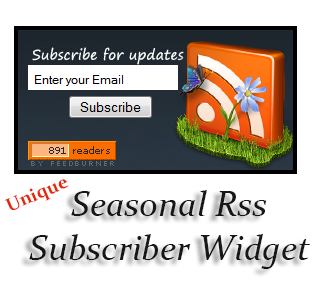
Seasonal Unique Rss Subscriber Widget For Blogger

Google Feedburner allow website to submit Rss feed to keep track statistic of the feeds It helps to track how many subscribers subscribed your blog and what is the most popular post in your blog too.
You can analyze your blogs popularity by using this statistic.Feedburner helps to alert your readers when you release new post on your blog via emails. It means every readers are your returning visitors.Therefore you have to update your blog regularly. You have to add attractive subscriber gadget to your blog it force your visitors to subscribe your blog.
In bloggertrix blog, there have lot of unique Rss feed subscriber gadgets. You can choose as your like.By studying this tutorial, you can learn how to add this Unique Seasonal Rss subscriber widget to blogger.Hope this helpful to everyone. You can check demo by demo button.

How to add Seasonal Rss Subscriber Widget For Blogger

Seasonal+Rss+Subscriber+Widget


1. Go to Blogger Dashboard > Layout
2. Click Add Gadget and select 'HTML/Javascript'
3. Paste below code.

<style>
#btfeeds {font-size:12px;width:275px;height:140px;border:4px solid black;background: url(https://blogger.googleusercontent.com/img/b/R29vZ2xl/AVvXsEjhDeElbtdltRDe2RkXs-OxczcKj7vZM2I-RhwPEiTVhm0mx0Q6tYzQ5h-tPXZiQB-Rn6ZuLQ9oLM9llMZKV5H63Aury6uuPtHc-MdZ3dWdadbP1tC4-vK1wJKXXzWl32JkJWHz-qedbj4/s1600/btfeed.png);margin-bottom:10px;}
.textarea {background:#FFFFFF none repeat scroll 0 0;border:medium none;font-size:12px;height:20px;margin:50px 0 5px 10px;padding:5px 0 0 5px;width:145px;margin-top:35px;}
#feeds a {font-size:11px;color:#FF7300;text-decoration:none}
#feeds p {color:#51616E;margin-left:15px;}
#subscribe_email_btn {margin-left: 50px;}
</style>
<div id="btfeeds">
<form action="http://feedburner.google.com/fb/a/mailverify" id="feedform" method="post" onsubmit="window.open(\" http:="" feedburner.google.com="" fb="" a="" mailverify?uri="bloggertrix\'," popupwindow\="" ,="" \="" scrollbars="yes,width=550,height=520\');return" true="" target="popupwindow">
<input class="textarea" name="email" onblur='if (this.value == &quot;&quot;) {this.value = &quot;Enter your Email&quot;;}' onfocus='if (this.value == &quot;Enter your Email&quot;) {this.value = &quot;&quot;}' type='text' value='Enter your Email'/><br />

<input type="submit" name="subscribe_email_btn" id="subscribe_email_btn" value="Subscribe" />
<input name="uri" value="bloggertrix" type="hidden" />
<input name="title" value="54800" type="hidden" />
<input name="loc" value="en_US" type="hidden" />

</form>
<p><a href="URL"><img src="http://feeds.feedburner.com/%7Efc/bloggertrix?bg=FD6D00&amp;fg=202931&amp;anim=1" style="border: 0pt none;margin: 10px 10px;" width="88" height="26"></a></p>
<a href='http://www.bloggertrix.com/'><img src='https://blogger.googleusercontent.com/img/b/R29vZ2xl/AVvXsEgXK77o1Z8pBplxOySEZ4-STuEKSL1WA-0pTXmSDA5gjA1O5mGZ2DDmFi4NKiL0EOkGH1i6BblYEsUDyDq8F_hDnLqk70K5Ah4Bhqo1CtyZlI8SBl3-HHuVDWfKrDlfRi78AOviao6Un8I/s1600/image.png' target='_blank'/></a>
</div>
Replace bloggertrix with your Feedburner ID.

4. Now save your HTML/Javascript'.

You are done. If you have any problem related to this Seasonal Rss Subscriber Widget. Just leave a comment.I will help to you.

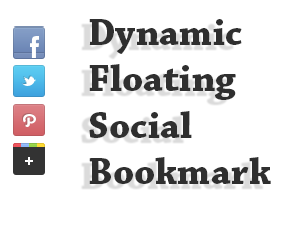
Dynamic Floating Social Bookmark Widget for Blogger


Social media networks always great resource to get traffic.Every bloggers love to get huge traffic for their blog.Therefore we have to be active in social medias site.Because we need  get lot of followers and friends.In this tutorial im gonna explain How to add Dynamic Floating Social Bookmark Widget for Blogger.It helps to increase your followers and friends.This Floating Social Bookmark Widget shows on every pages in bloggers. You can link your social media profile Facebook, Twitter Pinterest and Google plus. It will help to get new followers and friends to your profile.
Floating-Social-Bookmark

How to Add Unique Rss Subscribe Widget For blogger


1. Log in to blogger account and Click drop down.
blog-post-option
2. Now select "Template"

3. Find this tag by using Ctrl+F   </head>
    Note: First click on template code (anywhere of code), After that press  Ctrl+F

4. Paste below code before </head> tag

<script src='http://ajax.googleapis.com/ajax/libs/jquery/1.3.2/jquery.min.js' type='text/javascript'/> 
<script language='javascript'> 
var name = &quot;#floatMenu&quot;;
var menuYloc = null;
$(document).ready(function(){menuYloc = 
parseInt($(name).css(&quot;top&quot;).substring(0,$(name).css 
(&quot;top&quot;).indexOf(&quot;px&quot;)))
$(window).scroll(function () { offset = menuYloc+$(document).scrollTop()+&quot;px&quot;;$(name).animate({top:offset},{duration:1000,queue:false});});}); 
#floatMenu {
position:absolute;top:150px;float:left;width:45px;}
#floatMenu ul {list-style: none;}
#floatMenu ul li a {-webkit-transform:scale(0.6);-moz-transform:scale(0.6);-o-transform:scale(0.6);-webkit-transition-duration: 0.5s;-moz-transition-duration: 0.5s;-o-transition-duration: 0.5s;opacity: 0.8;}
#floatMenu ul li a:hover {-webkit-transform:scale(1);-moz-transform:scale(1);-o-transform:scale(1);opacity: 1;}
</style>


5. Now again Find this tag by using Ctrl+F   </body>
    Note: First click on template code (anywhere of code), After that press  Ctrl+F

6. Paste below code before </body> tag

<div id='floatMenu'>
<ul>
<li><a href='http://facebook.com/bloggertrix' target='_blank'><img border='0' src='https://blogger.googleusercontent.com/img/b/R29vZ2xl/AVvXsEgMlG9p6gQKYrizvPW3A9p8Kun4Y_WnooWIkheSKDxUL1opkDlx6YchJaywOUZW03ZVUBdVf8YaWT_RcN8fsgMPWlkpbT2V7vYG8RV8JiABuRWbKRdc80Qj8gdaCRHDNOi28LNY9eKfm7Q/s1600/btrix-facebook.png' style='margin-bottom: 3px;' title='Follow Me On  Facebook'/></a></li>
<li><a href='http://twitter.com/bloggertrix' target='_blank'><img border='0' src='https://blogger.googleusercontent.com/img/b/R29vZ2xl/AVvXsEgRHv_gqgD9it4KpqVgQNUzCjOu1di_MqlCW0XypU3P9V7zV9bltua0QymBtDIgYt275BRLzAOjjuG-aGoenWDzgXA-x9HNlIlVEjjQ8xBNHuxytC8UH_2XNtGsg8aZeLSXdpOFMpuEV2U/s1600/btrix-twitter.png' style='margin-bottom: 3px;' title='Follow Me On  Twitter'/></a></li>
<li><a href='http://pinterest.com/bloggertrix/' target='_blank'><img border='0' src='https://blogger.googleusercontent.com/img/b/R29vZ2xl/AVvXsEieEyHoUeuVD1KNd3nUNvKPXhQwjjapkfDuPecz5XEdTiPoTFRo65-jOuYUGHs1T5W1yNZ6-TcfS5zjH_m6BmGZOhugJuKm3Ya8LzhwtCvZpLrlcaPLshyphenhyphenSUUAu7CqYtG1bLp5yd1SSne8/s1600/btrix-pinterest.png' style='margin-bottom: 3px;' title='Follow Me On  Pinterest'/></a></li>
<li><a href='https://plus.google.com/107955298793879607964' target='_blank'><img border='0' src='https://blogger.googleusercontent.com/img/b/R29vZ2xl/AVvXsEiBPSlYlLZkH3DhNLywx2WORS06gO6BPNCuIMWXaX_kCjC5TIBzObxylepAgFAbAA-1RMirl3_YaDyeRJcG1JaNv93miM9cuLs4wO1fFNAb_PXXXSsUSLU0xXgoiVFONgn2U_7qmlkKn4o/s1600/btrix-googleplus.png' style='margin-bottom: 3px;' title='Add Me your Circle'/></a></li>
</ul></div>

Replace bloggertrix with your Facebook username
Replace bloggertrix with your Twitter Username
Replace bloggertrix with your Pinterest Username
Replace 107955298793879607964 with your Google plus id Username

7. Now click Save Template You are done...
If you need any help for Dynamic Floating Social Bookmark Widget, Just leave a comment.

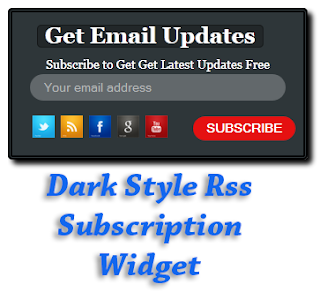
Dark Style Rss Subscription Widget For Blogger


In  this  tutorial   I'm   gonna   explain  how  to   add  dark
style  Feed  Subscribe Widget. By  using this widget you 
can  link  your  social   media  profile   Facebook, Twitter
Rss Google  Pinteret plus and subscribe  field. It will help
to get the new updates by emails.


Dark+Style+Feed+Subscription+Widget

How to add Feed Subscription Widget For Blogger


1. Log in to blogger account and Click drop down.
blog-post-option
2. Now select "Layout" Like Below.

3. Click Add Gadget and select 'HTML/Javascript

4. Paste below code. (You can add any Names for Title )

<style>
#btrix-newsletter{ width:290px;background:#2e3639; color:#fff; padding:20px; font-size:14px;  margin-bottom:20px;  -moz-box-shadow: 2px 2px 2px #000000;-webkit-box-shadow: 5px 5px 5px #000000;box-shadow: 5px 5px 5px  #000000;border:double 5px #000000;
-moz-border-radius-topleft: 5px;
-moz-border-radius-topright:5px;
-moz-border-radius-bottomleft:5px;
-moz-border-radius-bottomright:5px;
-webkit-border-top-left-radius:5px;
-webkit-border-top-right-radius:5px;
-webkit-border-bottom-left-radius:5px;
-webkit-border-bottom-right-radius:5px;
border-top-left-radius:5px;border-top-right-radius:5px;border-bottom-left-radius:5px;border-bottom-right-radius:5px;}

#btrix-newsletter .btrix-title {  margin-bottom:10px;margin-top:-10px; }
.btrix-title{margin-left: 8px;font-size:25px; font-weight:bold; border-radius:5px;-webkit-border-radius:5px;-moz-border-radius:5px;padding:1px 8px 2px 8px;text-align:center;border:1px solid #151819;color:#fff;background:#222729;display:inline-block;}

#footer-subscribe-btn {width:116px;box-sizing:border-box;-webkit-box-sizing:border-box;-moz-box-sizing:border-box;
position:relative;left:135px;}
.footer-submit-btn {margin-left:50px;margin-top:-5px;margin-bottom:-50px;border: none;color: #fff;text-transform: uppercase; font-size: 13px;padding: 5px 18px 5px;background: #e93a30;border-radius: 30px;-webkit-border-radius: 30px; 
-moz-border-radius: 30px;font-weight: bold;-webkit-transition: background .2s linear;
-moz-transition: background .2s linear;-ms-transition: background .2s linear;-o-transition: background .2s linear;transition: background .2s linear;cursor: pointer;
}
.footer-submit-btn:hover { background:#e51111;}

#fastsearch ,#footer-subscribe-email{background:#62686b;color:#fff;font-size:14px;border:none;
box-sizing:border-box;border-radius:30px;-webkit-border-radius:30px;-moz-border-radius:30px;outline:none;padding:0px 15px; height:30px;box-sizing:border-box;-moz-box-sizing:border-box;-webkit-box-sizing:border-box;}
#fastsearch.inactive ,
#footer-subscribe-email.inactive {color:#b5b7b8;}
#footer-subscribe-email {width:100%;}
#sb-nl-members-count {  font-size:12px; font-weight:bold;text-align:center;width:150px;margin:0 0 -36px 0 ;display:inline-block;
</style>


<br />
<div id="btrix-newsletter">
<div class="btrix-title">
Get Email Updates</div>
<div class="btrix-nl-text">
<center>
Subscribe to Get Latest Updates Free</center>
</div>
<form action="http://feedburner.google.com/fb/a/mailverify" method="post" onsubmit="window.open('http://feedburner.google.com/fb/a/mailverify?uri=bloggertrix', 'popupwindow', 'scrollbars=yes,width=550,height=520');return true" target="popupwindow">
<input class="inactive footer-text-field" id="footer-subscribe-email" name="EMAIL" onblur="if(this.value=='')this.value=this.defaultValue;" onfocus="if(this.value==this.defaultValue)this.value='';" type="text" value="Your email address" />
<input name="uri" type="hidden" value="bloggertrix" />
<input name="loc" type="hidden" value="en_US" />
<br />
<div id="sb-nl-members-count">
<table border="0">
<tbody>
<tr>
<td style="padding-right: 4px;"><a href="http://twitter.com/bloggertrix" target="_blank" title="Follow Me On Twitter">
<img src="https://blogger.googleusercontent.com/img/b/R29vZ2xl/AVvXsEi3l4qMtUT-Z-aQr91vNX5u24LRJNGye2w37WVJP07y_lhKcG2YIxNcCWpZ8P-3MKRlZZ45PsMAnKHz95NfPHhV3C1ixLe_AeL_6EYX1Fn8erQ9JmB50GaViXRZV_r4BHWmN1qT7yvruI8/s1600/bloggertrix.com-twitter-icon.png" style="height: 25px; width: 25px;" /></a>
</td>
<td style="padding-right: 4px;"><a href="http://feeds.feedburner.com/bloggertrix" target="_blank" title="Subscribe Via RSS">
<img src="https://blogger.googleusercontent.com/img/b/R29vZ2xl/AVvXsEiaI6Ys8eXhrxgqQWvZVzsZMvPYHKbmPBq8oCcsYlDyqkAQg-jFr4UEH7_hNnEZZm5oNXSJ67z9H0rtxEQl-93Re1Msby9GPSGbYAJOmm03xk1o5odqh7-ys0_f1cfkfqpo3HHzxaNjgqY/s1600/bloggertrix.com-rss-icon.png" style="height: 25px; width: 25px;" /></a>
</td>
<td style="padding-right: 4px;"><a href="http://www.facebook.com/bloggertrix" target="_blank" title="Find Us On Facebook">
<img src="https://blogger.googleusercontent.com/img/b/R29vZ2xl/AVvXsEhk7iTM4lyMigGD-jN7rhgUDxAlIcQdkNMs5XGLlfswBO5wJaIMKR0Ol9awGh_ayZ4AgwPqVgR8fSHh_HaK4xVPfPqca8e27p4UsNSzZhXvaxV6b473hVQJ54OzG4TCAtvGRaBaOO3uarY/s1600/bloggertrix.com-facebook-icon.png" style="height: 25px; width: 25px;" /></a>
</td>
<td style="padding-right: 4px;"><a href="https://plus.google.com/107955298793879607964" target="_blank" title="Add me on Google+">
<img src="https://blogger.googleusercontent.com/img/b/R29vZ2xl/AVvXsEjBVOjHuA6vPFmwkHOWizajesaOXuOIaDoIwavvsjAgo4gzB3ISxTOxhYwdkkchWu7tvEy7_D6ccU3nSmCfuS6n4zMY86XZ-3I1Wya__tWJaYEGr7xIImHSYFEtDX2J5pCzcXZP9bFNXj8/s1600/bloggertrix.com-google-icon.png" style="height: 25px; width: 25px;" /></a>
</td>
<td style="padding-right: 4px;"><a href="http://youtube.com/UserId" target="_blank" title="youtubr subscribe">
<img src="https://blogger.googleusercontent.com/img/b/R29vZ2xl/AVvXsEjIqzeANlHOJ4KMHtv5xYCq3CDlSWyUPcCEXh-aNNKV_rmnNx4-akpi1Cvih4L5dNiuNQnmBPRjE7fEwCugAg-mTcBh1f2Z1M3bJS9FDVoV0-xpm8p2zjp0K40tnYKDdETM7YRtrLTJQhc/s1600/bloggertrix.com-youtube-icon.png" style="height: 25px; width: 25px;" /></a>
</td></tr>
</tbody></table>
</div>
<input class="footer-submit-btn" id="footer-subscribe-btn" type="submit" value="Subscribe" />

<div class="clr">
</div>
</form>
</div>


Replace bloggertrix with your Feedburner ID
Replace bloggertrix with your Facebook username
Replace bloggertrix with your Twitter Username
Replace 107955298793879607964 with your Google plus Id Username
Replace UserId with your Twitter Username

5. Now save your HTML/Javascript'.

    You are done...
If you need any help regarding this. Just comment or  contact me via contact us page.

Metro Style Social Media Widget For blogger

In  this tutorial  im  gonna  explain  how  to add  Metro
Style   social   media  widget   for  blogger.   By  using
this widget  you  can  link  your   social  media  profile
Facebook,   Twitter   Youtube  Rss    and   linkedin IDs


Metro+Style+Social+Media+Widget


1. Log in to blogger account and Click drop down.
blog-post-option
2. Now select "Layout" Like Below.

3. Click Add Gadget and select 'HTML/Javascript

4. Paste  below code.

<style>
.metro-social{width:315px}
.metro-social li{position:relative;cursor:pointer;padding:0;list-style:none}
.metro-social .facebookbt,.twitterbt,.googleplusbt,.pinterestbt,.linkedinbt,.youtubebt,.rssbt{z-index:7;float:left;margin:1px;position:relative;display:block}
.metro-social .facebookbt{background:url(https://blogger.googleusercontent.com/img/b/R29vZ2xl/AVvXsEidjr8ZZMP4dD8VBei3H0rDnpK8WntTDaSI-26QS_HtsISyyg8G-96O8uXfK837GxM2aKQ3NvKJ55JTw2dxXbL6NA_bmZyWNSmB_DDujUtvlAab-XzDLiozIDMdG1WtwXXddcHjMwb-kww/s1600/bt-facebook.png) no-repeat center center #1f69b3;width:140px;height:141px}
.metro-social .twitterbt{background:url(https://blogger.googleusercontent.com/img/b/R29vZ2xl/AVvXsEikLXr3oI52t10DZE0BTVrEoZn2r8AVCOIRg1lOAVFbpuk70Q8DaZgANBu-KLXgvHO0AoRAGYciGMLlR5Fl9e9lugbwKtXs_nmxmooZJG-2AoxNlGj9djAmeUYy6W0-WIzgWOVM4HXhfC0/s1600/bt-twitter.png) no-repeat center center #43b3e5;width:68px;height:70px}
.metro-social .googleplusbt{background:url(https://blogger.googleusercontent.com/img/b/R29vZ2xl/AVvXsEiYn8Go00G6OwGSK17nYs7agtzK6LACn8GM1qi0TdNGKNkazvGMy1dgMqBqk20isyKSGW_Tsbb-v9HyUKD4Ixbokqh37A34Ogr47CNieHjOwivuf612cS-B5AG6_uN0eHJYNSD9QfNtrbw/s1600/bt-google+plus.png) no-repeat center center #da4a38;width:69px;height:70px}
.metro-social .pinterestbt{background:url(https://blogger.googleusercontent.com/img/b/R29vZ2xl/AVvXsEipguw4QA4YRd2LAa_0_A1s-su0wb2412euDlzaxPqlZxhKZGg036RL7qW7aV8EaJufZ7LkvLC2B5SW6GLEYBY_Ci4nVo90ot3S9kSPrhlmYkTSXQLRqFfxGP882mD8WQdMq0kXB0YGMm8/s1600/bt-pinterest.png) no-repeat center center #d73532;width:68px;height:69px}
.metro-social .linkedinbt{background:url(https://blogger.googleusercontent.com/img/b/R29vZ2xl/AVvXsEiBquuFl5zAxptUCmWQwFKfDSG4Z4xy8VmyKbBUy5qSiHVPPqyIwx0AMXfzxUv-Y7BWB2jo4chBGfwovUeok9xYABPQQzVMBsSeWtDvQz8X7UjTjBkRPwEieSj5JCmFKBMJSwII96Ju28w/s1600/bt-linkedin.png) no-repeat center center #0097bd;width:69px;height:69px}
.metro-social .youtubebt{background:url(https://blogger.googleusercontent.com/img/b/R29vZ2xl/AVvXsEi6Um-7wsAIcxYuohxpYGCV-UeJG9ae01Us-6fZ31eND1i4xULCvlTxYWrthocS93IFhyphenhyphenr1zP4yujP5G5lB20E9wpOAsvOy87yILYj8vxpgwKfTiKHIG1rtX9nwxCqH-IFnAiZ6lpxoEnA/s1600/bt-youtube.png) no-repeat center center #e64a41;width:140px;height:69px}
.metro-social .rssbt{background:url(https://blogger.googleusercontent.com/img/b/R29vZ2xl/AVvXsEhxxOd4urzzSpCsUV5UYyj_y3ZkJgzeV8FrPCTG3WiwVEjDtIJe9j_l3a0bidO1p1WV1qGeRP_n-xHGgr_38viopBjxN99UkzH_Zdy6cKM9Cgbs6sqfy4FxKHeQi6XxRm3eZmS-7Oa7dPA/s1600/bt-feed.png) no-repeat center center #e9a01c;width:140px;height:69px}
.metro-social li:hover .facebookbt{background:url(https://blogger.googleusercontent.com/img/b/R29vZ2xl/AVvXsEjcAnAObZz4faFOpCejFoOmnvQS4ER39GDVKllQCFs2MgQBeE4ODJnktJMqWKQVMc2kFBc0pvvVN33m9q2Na7oBqR42aS1mwSBygeHfnhpl3nIwBu50tOnNPJE1K5qWvKeAQlCsv8p4-fw/s1600/bt-facebook.png) no-repeat center center #1f69b3}
.metro-social li:hover .twitterbt{background:url(https://blogger.googleusercontent.com/img/b/R29vZ2xl/AVvXsEjRxdzf9xWxordRn-0DnXNWOAiGZzw4U7NEYigMdmmW7G4pNHVtLuzgLjOT3TyHPAcxIajzbxl4kYZiwx-0bLPb1eL1iTdfFeTj2iYGBFFrhGd-dXypvdxq_PPWlm3RWDVH9NeVYHrDWK4/s1600/bt-twitter.png) no-repeat center center #43b3e5}
.metro-social li:hover .googleplusbt{background:url(https://blogger.googleusercontent.com/img/b/R29vZ2xl/AVvXsEip5qbcoxGtZZPlWzQ6iGg3tMdMQWmWBRoMfchxPGkrrfjyH5tJzh0yZ2Z3XR_73P8DUQCnEAjU_T3-QcIqAq_yx8Y2t6L6zPD0k1qrr2uJTuz_wsuj9_rdBYOvAM_2YZ3WLPLYQgegbi8/s1600/bt-google+plus.png) no-repeat center center #da4a38}
.metro-social li:hover .pinterestbt{background:url(https://blogger.googleusercontent.com/img/b/R29vZ2xl/AVvXsEiJU7reVndtl_estQpNjNAP2TWRwmAWmg8Shg6N_aEHXjfaYakUTnxaqODjJFPjzz9v7fNrDCesgtXBWyU7nhoLM7S5INrZBw1sqShIilAdQUP6Bw5JAGNTaAeqsEG5U3Aj3uEq3wT1GkI/s1600/bt-pinterest.png) no-repeat center center #d73532}
.metro-social li:hover .linkedinbt{background:url(https://blogger.googleusercontent.com/img/b/R29vZ2xl/AVvXsEhVPnf7ZpSXbX_z0aVsE9HZ3U7_Es2-Z3LENPm9KSQak0Yoz5PFhyphenhyphen_PXaRFdZCMnVT9sgQ3Yhdq16Vf8dTbIBFzz7PKMkuuKg9Rb16PO6-R0VhLq1veuM5KsElZT006Z3SPScUG2BKC7Ac/s1600/bt-linkedin.png) no-repeat center center #0097bd}
.metro-social li:hover .youtubebt{background:url(https://blogger.googleusercontent.com/img/b/R29vZ2xl/AVvXsEg6MVslnVbRBKyQLfo3D2lhdHWk0ElhXuF4hnwRrH2YEAEeNbZH-8G0ezyDSXjDnFgqzgzJajSye2Z9wHQEz0MREcqRkODS2OpkiiNuq5HlZEsYV2cH2c19NeRYZ1-ODqIGsxNo9Hmk2EU/s1600/bt-youtube.png) no-repeat center center #e64a41}
.metro-social li:hover .rssbt{background:url(https://blogger.googleusercontent.com/img/b/R29vZ2xl/AVvXsEhmZ-4ClVHFub3J8PU311a8F6luusBJzK_ClZ4CDyjFcSVHejOIKafLdZ1Z5wDvicqHylpMUa6w-9oMABT72mcUcWckCEVQv3w7ObjxGS5Fjl0_3dTV3vLiPo4D1mx7KUlwuA8Q8zc7jcc/s1600/bt-feed.png) no-repeat center center #e9a01c}
</style>

<div class="metro-social">
<br />
<li><a class="facebookbt" href="http://www.facebook.com/bloggertrix"></a></li>
<li><a class="twitterbt" href="http://twitter.com/bloggertrix"></a></li>
<li><a class="googleplusbt" href="https://plus.google.com/107955298793879607964"></a></li>
<li><a class="pinterestbt" href="http://pinterest.com/bloggertrix"></a></li>
<li><a class="linkedinbt" href="https://www.linkedin.com/username"></a></li>
<li><a class="youtubebt" href="http://www.youtube.com/username"></a></li>
<li><a class="rssbt" href="http://feeds.feedburner.com/bloggertrix"></a></li>
</div>

Replace bloggertrix with your Facebook username
Replace bloggertrix with your Twitter Username
Replace 107955298793879607964 With Google plus profile ID
Replace bloggertrix with your Pinterest ID
Replace Username with your LinkedIn ID
Replace bloggertrix with your Youtube ID
Replace bloggertrix with your Feedburner ID

5. Now save your HTML/Javascript'.
    You are done...

Colorful Hover Style Social Media Widget for Blogger

In this tutorial im gonna  explain  how  to add  Smooth
Colorful  social media  widget   for  blogger.  By  using
this widget  you  can  link  your   social  media  profile
Facebook,   Twitter   StumbleUpon   and   linkedin IDs


Colorful+Hover+Style+Social+Media+Widget


1. Log in to blogger account and Click drop down.
blog-post-option
2. Now select "Layout" Like Below.

3. Click Add Gadget and select 'HTML/Javascript

4. Paste  below code.

<style>
a.btrix1_twitter
{background-image:url(https://blogger.googleusercontent.com/img/b/R29vZ2xl/AVvXsEizHEu-4I_NOkh-HCy9db_wzqBcZ28gvTBwzqpJOryweZ3hv3IfQ01y9LAInD5uVrkXDF2gti-5XmqR8twpvnaFI9nj7miMFwrZy5YhawM7S7Hw-tflOonczFuVZ2kHHRseNxBZzaIjy90/s1600/btrix_twitter.jpg);
    background-position:0 0px;
    width:255px;
    height:51px;
    text-indent:-9999px;
    display:block;
    background-repeat: no-repeat;
    border:0px;
    float:left;}
a.btrix1_facebook
{background-image:url(https://blogger.googleusercontent.com/img/b/R29vZ2xl/AVvXsEhRMMKnNjUKYE_-CYCoBDY6hyphenhyphenXW69S77dEgTJyCqXXC8kdDpUF2XqQTzU_v3JT8LFPMmM58W_fqshwrQaIBUO6mTkx5rs1eDveZS58ak5t3hCqUZ9E93KhMuyFMdif9sDtX3ztKMBlovoY/s1600/btrix_facebook.jpg);
    background-position:0 0px;
    width:255px;
    height:51px;
    text-indent:-9999px;
    display:block;
    background-repeat: no-repeat;
        border:0px;
        float:left;}
a.btrix1_linkedin
{background-image:url(https://blogger.googleusercontent.com/img/b/R29vZ2xl/AVvXsEiGRbL3pODJZtQx3HetM3c-cLCbocOhN-9a_r9G7m0yUF5KFOKXP9IarFJv4UzGRLQ8dnUibSZ80zCcgUJx-QtoVbvLTpeFWJdAI4QKrBT9pHl6T0tC4JxJCfl0ueUMkH5QU0P37kXpxHI/s1600/btrix_linkedin.jpg);
    background-position:0 0px;
    width:255px;
    height:51px;
    text-indent:-9999px;
    display:block;
    background-repeat: no-repeat;
        border:0px;
        float:left;
}
a.btrix1_stumbleupon
{   background-image:url(https://blogger.googleusercontent.com/img/b/R29vZ2xl/AVvXsEgnuIN5SFzMpxdxNmmDd0-VfFuetB_7Mtc3wJNd6_7BxKeyokLw0zE6wVy4egWYLKCNvxOrU-owLH_gKwSbWbcX0uYnfjvFpTBIR1kGp3PW91TD__SnjFaNfGtTPnoK59fueXM09dSlqA8/s1600/btrix_stumbleupon.jpg);
    background-position:0 0px;
    width:255px;
    height:50px;
    text-indent:-9999px;
    display:block;
    background-repeat: no-repeat;
        border:0px;
        float:left;
}
.btrix11social a:hover
{
    background-position:0 -51px;
}
.btrix11social
{
    width:255px;
}
</style>

<br />
<div class="textwidget">
<div class="btrix11social">
<a class="btrix1_linkedin" href="http://in.linkedin.com/Username" target="_blank">linkedin</a>
<a class="btrix1_stumbleupon" href="http://www.stumbleupon.com/bloggertrix" target="_blank">stumbleupon</a>
<a class="btrix1_twitter" href="http://twitter.com/bloggertrix" target="_blank">twitter</a>
<a class="btrix1_facebook" href="http://www.facebook.com/bloggertrix" target="_blank">facebook</a>
</div>
</div>

Replace bloggertrix with your Facebook username
Replace bloggertrix with your Twitter Username
Replace Username with your stumble username
Replace Username with your Feedburner ID

5. Now save your HTML/Javascript'.
    You are done...

Smooth Sliding Social Media Widget For Blogger

In this tutorial im gonna  explain how  to add  Smooth
Sliding  social  media  widget  for  blogger.  By  using
this widget  you  can  link  your   social  media  profile
Facebook, Twitter and  Rss  Google plus and pinterest.


Smooth+Sliding+Social+Media+Widget

1. Log in to blogger account and Click drop down.
blog-post-option
2. Now select "Layout" Like Below.

3. Click Add Gadget and select 'HTML/Javascript

4. Paste below one of below code.

<style>
.btrix-social-slidebox {
    font: 16px normal 'Denk One', sans-serif;
    display: inline-block;
    position: relative;
    width: 95%;
    max-width: 200px;
   
    
    padding: 12px;
    
}

.btrix-social-slide {
    width: 95%;
    max-width: 280px;
    padding-top: 8px;
    padding-left: 8px;
    padding-right: 8px;
}

.btrix-social-slide a {
    text-decoration: none !important; 
   }

.btrix-social-slide ul {margin-top:-5px;
    margin: 0;
    padding: 0;
    list-style: none;
}

.btrix-social-slide ul li {margin-bottom:15px;
    display: inline;
    margin: 0;
    padding: 0;
    text-indent: 0;
 margin-left:10px;
}

.btrix-social-slide ul li a.facebook {
    border-left: 65px solid rgba(59, 89, 152, 1);
    color: rgba(59, 89, 152, 1);
    -webkit-transition: all 1000ms ease-in-out;
    -moz-transition: all 1000ms ease-in-out;
    -ms-transition: all 1000ms ease-in-out;
    -o-transition: all 1000ms ease-in-out;
    transition: all 1000ms ease-in-out;
}

.btrix-social-slide ul li a.facebook p {
    margin: 2px 20px 0 -60px;
    display: inline-block;
    color: #fff;
    -webkit-transition: all 1000ms ease-in-out;
    -moz-transition: all 1000ms ease-in-out;
    -ms-transition: all 1000ms ease-in-out;
    -o-transition: all 1000ms ease-in-out;
    transition: all 1000ms ease-in-out;
}

.btrix-social-slide ul li a.facebook:hover {
    background: rgba(59, 89, 152, 1);
    border-left: 0px solid rgba(59, 89, 152, 0.1);
    color: #fff;
    -webkit-transition: all 1000ms ease-in-out;
    -moz-transition: all 1000ms ease-in-out;
    -ms-transition: all 1000ms ease-in-out;
    -o-transition: all 1000ms ease-in-out;
    transition: all 1000ms ease-in-out;
}

.btrix-social-slide ul li a.facebook:hover p {
    opacity: 0;
    -webkit-transition: all 1ms ease-in-out;
    -moz-transition: all 1ms ease-in-out;
    -ms-transition: all 1ms ease-in-out;
    -o-transition: all 1ms ease-in-out;
    transition: all 1ms ease-in-out;
}

.btrix-social-slide ul li a.twitter {
    border-left: 65px solid rgba(64, 153, 255, 1);
    color: rgba(64, 153, 255, 1);
    -webkit-transition: all 1000ms ease-in-out;
    -moz-transition: all 1000ms ease-in-out;
    -ms-transition: all 1000ms ease-in-out;
    -o-transition: all 1000ms ease-in-out;
    transition: all 1000ms ease-in-out;
}

.btrix-social-slide ul li a.twitter p {
    margin: 2px 20px 0 -60px;
    display: inline-block;
    color: #fff;
    -webkit-transition: all 1000ms ease-in-out;
    -moz-transition: all 1000ms ease-in-out;
    -ms-transition: all 1000ms ease-in-out;
    -o-transition: all 1000ms ease-in-out;
    transition: all 1000ms ease-in-out;
}

.btrix-social-slide ul li a.twitter:hover {
    background: rgba(64, 153, 255, 1);
    border-left: 0px solid rgba(64, 153, 255, 1);
    color: #fff;
    -webkit-transition: all 1000ms ease-in-out;
    -moz-transition: all 1000ms ease-in-out;
    -ms-transition: all 1000ms ease-in-out;
    -o-transition: all 1000ms ease-in-out;
    transition: all 1000ms ease-in-out;
}

.btrix-social-slide ul li a.twitter:hover p {
    opacity: 0;
    -webkit-transition: all 1ms ease-in-out;
    -moz-transition: all 1ms ease-in-out;
    -ms-transition: all 1ms ease-in-out;
    -o-transition: all 1ms ease-in-out;
    transition: all 1ms ease-in-out;
}

.btrix-social-slide ul li a.gplus {
    border-left: 65px solid rgba(219, 74, 57, 1);
    color: rgba(219, 74, 57, 1);
    -webkit-transition: all 1000ms ease-in-out;
    -moz-transition: all 1000ms ease-in-out;
    -ms-transition: all 1000ms ease-in-out;
    -o-transition: all 1000ms ease-in-out;
    transition: all 1000ms ease-in-out;
}

.btrix-social-slide ul li a.gplus p {
    margin: 2px 20px 0 -50px;
    display: inline-block;
    color: #fff;
    -webkit-transition: all 1000ms ease-in-out;
    -moz-transition: all 1000ms ease-in-out;
    -ms-transition: all 1000ms ease-in-out;
    -o-transition: all 1000ms ease-in-out;
    transition: all 1000ms ease-in-out;
}

.btrix-social-slide ul li a.gplus:hover {
    background: rgba(219, 74, 57, 1);
    border-left: 0px solid rgba(219, 74, 57, 1);
    color: #fff;
    -webkit-transition: all 1000ms ease-in-out;
    -moz-transition: all 1000ms ease-in-out;
    -ms-transition: all 1000ms ease-in-out;
    -o-transition: all 1000ms ease-in-out;
    transition: all 1000ms ease-in-out;
}

.btrix-social-slide ul li a.gplus:hover p {
    opacity: 0;
    -webkit-transition: all 1ms ease-in-out;
    -moz-transition: all 1ms ease-in-out;
    -ms-transition: all 1ms ease-in-out;
    -o-transition: all 1ms ease-in-out;
    transition: all 1ms ease-in-out;
}

.btrix-social-slide ul li a.pinterest {
    border-left: 65px solid rgba(174, 45, 39, 1);
    color: rgba(174, 45, 39, 1);
    -webkit-transition: all 1000ms ease-in-out;
    -moz-transition: all 1000ms ease-in-out;
    -ms-transition: all 1000ms ease-in-out;
    -o-transition: all 1000ms ease-in-out;
    transition: all 1000ms ease-in-out;
}

.btrix-social-slide ul li a.pinterest p {
    margin: 2px 20px 0 -50px;
    display: inline-block;
    color: #fff;
    -webkit-transition: all 1000ms ease-in-out;
    -moz-transition: all 1000ms ease-in-out;
    -ms-transition: all 1000ms ease-in-out;
    -o-transition: all 1000ms ease-in-out;
    transition: all 1000ms ease-in-out;
}

.btrix-social-slide ul li a.pinterest:hover {
    background: rgba(174, 45, 39, 1);
    border-left: 0px solid rgba(174, 45, 39, 1);
    color: #fff;
    -webkit-transition: all 1000ms ease-in-out;
    -moz-transition: all 1000ms ease-in-out;
    -ms-transition: all 1000ms ease-in-out;
    -o-transition: all 1000ms ease-in-out;
    transition: all 1000ms ease-in-out;
}

.btrix-social-slide ul li a.pinterest:hover p {
    opacity: 0;
    -webkit-transition: all 1ms ease-in-out;
    -moz-transition: all 1ms ease-in-out;
    -ms-transition: all 1ms ease-in-out;
    -o-transition: all 1ms ease-in-out;
    transition: all 1ms ease-in-out;
}

.btrix-social-slide ul li a.rss {
    border-left: 65px solid rgba(255, 102, 0, 1);
    color: rgba(255, 102, 0, 1);
    -webkit-transition: all 1000ms ease-in-out;
    -moz-transition: all 1000ms ease-in-out;
    -ms-transition: all 1000ms ease-in-out;
    -o-transition: all 1000ms ease-in-out;
    transition: all 1000ms ease-in-out;
}

.btrix-social-slide ul li a.rss p {
    margin: 2px 20px 0 -60px;
    display: inline-block;
    color: #fff;
    -webkit-transition: all 1000ms ease-in-out;
    -moz-transition: all 1000ms ease-in-out;
    -ms-transition: all 1000ms ease-in-out;
    -o-transition: all 1000ms ease-in-out;
    transition: all 1000ms ease-in-out;
}

.btrix-social-slide ul li a.rss:hover {
    background: rgba(255, 102, 0, 1);
    border-left: 0px solid rgba(255, 102, 0, 1);
    color: #fff;
    -webkit-transition: all 1000ms ease-in-out;
    -moz-transition: all 1000ms ease-in-out;
    -ms-transition: all 1000ms ease-in-out;
    -o-transition: all 1000ms ease-in-out;
    transition: all 1000ms ease-in-out;
}

.btrix-social-slide ul li a.rss:hover p {
    opacity: 0;
    -webkit-transition: all 1ms ease-in-out;
    -moz-transition: all 1ms ease-in-out;
    -ms-transition: all 1ms ease-in-out;
    -o-transition: all 1ms ease-in-out;
    transition: all 1ms ease-in-out;
}
</style>

<div class="btrix-social-slide">
    <ul>
        <li><a class="btrix-social-slidebox facebook" href="https://www.facebook.com/bloggertrix"><p>12K+</p>Facebook </a></li>
        <li><a class="btrix-social-slidebox twitter" href="https://twitter.com/bloggertrix"><p>5K+</p>Twitter</a></li>
        <li><a class="btrix-social-slidebox gplus" href="https://plus.google.com/107955298793879607964"><p>4K+&nbsp;</p>Google+</a></li>
        <li><a class="btrix-social-slidebox pinterest" href="http://pinterest/bloggertrix"><p>2K+&nbsp;</p>Pinterest</a></li>
        <li><a class="btrix-social-slidebox rss" href="http://feeds.feedburner.com/bloggertrix"><p>11K+</p>RSS</a></li>
    </ul>
</div>


You have to change the counters manually, just change red color number according to profile.


Replace bloggertrix with your Facebook username
Replace bloggertrix with your Twitter Username
Replace 107955298793879607964 with your Google plus ID
Replace Username with your Youtube Username
Replace bloggertrix with your Feedburner ID

5. Now save your HTML/Javascript'.

    You are done...

Add Follow Button Subscribe Widget to Blogger

Today i gonna explain  how  to add  follow button
subscribe   widget  to  blogger  This  is WordPress
design. hope  you  will like  it. By using this users
can subscribe your blog. So, it will help to get the
new  updates  by  emails.
Add+Follow+Button+Subscribe+Widget

1. Log in to blogger account and Click drop down.
blog-post-option
2. Now select "Layout" Like Below.

3. Click Add Gadget and select 'HTML/Javascript

4. Paste below code.

<style type="text/css">
/*<![CDATA[*/
 #esgfollowSubscribe {background-color: #464646;width: 220px;color: #fff;position: fixed;z-index: 999999;right: 10px;bottom: 0;}
 .followOpened {-webkit-border-radius: 2px 0 0;-moz-border-radius: 2px 0 0;border-radius: 2px 0 0;-webkit-box-shadow: 0 0 8px rgba(0, 0, 0, 0.5);-moz-box-shadow: 0 0 8px rgba(0, 0, 0, 0.5);box-shadow: 0 0 8px rgba(0, 0, 0, 0.5);}
 .esgfollowButton {background: #464646;color: #CCC !important;font-size: 13px;line-height: 28px;padding: 0 10px;text-decoration: none;position: absolute;top: -28px;right: 0;display: block;-webkit-box-shadow: 0 -1px 5px rgba(0, 0, 0, 0.2);-moz-box-shadow: 0 -1px 5px rgba(0, 0, 0, 0.2);box-shadow: 0 -1px 5px rgba(0, 0, 0, 0.2);-webkit-border-radius: 2px 2px 0 0;-moz-border-radius: 2px 2px 0 0;border-radius: 2px 2px 0 0;height: 28px;}
 .esgfollowButton span {background: url("https://blogger.googleusercontent.com/img/b/R29vZ2xl/AVvXsEin8IL4z5gx7W84u3EBOEiyuhd9OpkwbF9Qn5qD1wwyx4yHwk4WLf7L3zkXu0yyKN4BmHjddVxJCh4zcMZ5izmlnq5lD3o7qyNfaPv4B_otsBZ8UGYwngSM4P9MCWnAIZGFXZ4EgjVPLds/s1600/follow-bloggertrix.png") no-repeat scroll 0 3px transparent;padding-left: 15px;}
 .esgfollowButton:hover,.followActive {color: #fff !important;}
 .esgfollowButton:hover span,.followActive span {background-position: 0 -37px !important;}
 .followactive {background-color: #333;}
 .esgfollowForm {padding: 15px;}
 .esgfollowForm h3 {font-size: 18px;margin: 0 0 10px;font-weight: normal;}
 .esgfollowForm p {margin: 0 0 10px;}
 .esgfollowForm .emailInput {width: 95%;padding: 2px 4px;margin: 0 auto;-webkit-border-radius: 3px;-moz-border-radius: 3px;border-radius: 3px;font-size: 15px;border: 1px solid #444;color: #888;display: block;clear: both;}
 .esgfollowForm form {text-align: center;}
 .esgfollowForm .emailInput:focus {color: #000;border-color: #000;}
 .esgfollowForm .emailSubmit {cursor:pointer;padding: 2px 20px;background: #333;background: -webkit-linear-gradient(top, #333 0%, #111 100%);background: -moz-linear-gradient(top, #333 0%, #111 100%);background: -o-linear-gradient(top, #333 0%, #111 100%);background: -ms-linear-gradient(top, #333 0%, #111 100%);background: linear-gradient(top, #333 0%, #111 100%);color: #ccc;text-shadow: 0 1px 0 #000;border: 1px solid #282828;-webkit-border-radius: 11px;-moz-border-radius: 11px;border-radius: 11px;-webkit-box-shadow: inset 0 1px 0 #444;-moz-box-shadow: inset 0 1px 0 #444;box-shadow: inset 0 1px 0 #444;text-decoration: none;-webkit-transition: all 0.25s ease-in-out;-moz-transition: all 0.25s ease-in-out;-o-transition: all 0.25s ease-in-out;-ms-transition: all 0.25s ease-in-out;transition: all 0.25s ease-in-out;margin: 1em 0 1em 0;}
 .emailSubmit:hover {background: #222;background: -webkit-linear-gradient(top, #333 0%, #222 100%);background: -moz-linear-gradient(top, #333 0%, #222 100%);background: -o-linear-gradient(top, #333 0%, #222 100%);background: -ms-linear-gradient(top, #333 0%, #222 100%);background: linear-gradient(top, #333 0%, #222 100%);color: #fff;-webkit-box-shadow: inset 0 1px 0 #4f4f4f;-moz-box-shadow: inset 0 1px 0 #4f4f4f;box-shadow: inset 0 1px 0 #4f4f4f;text-decoration: none;}
 .emailSubmit:active {background: #111;background: -webkit-linear-gradient(top, #111 0%, #222 100%);background: -moz-linear-gradient(top, #111 0%, #222 100%);background: -o-linear-gradient(top, #111 0%, #222 100%);background: -ms-linear-gradient(top, #111 0%, #222 100%);background: linear-gradient(top, #111 0%, #222 100%);color: #aaa;-webkit-box-shadow: inset 0 -1px 0 #333;-moz-box-shadow: inset 0 -1px 0 #333;box-shadow: inset 0 -1px 0 #333;text-decoration: none;}
 .esgFollowFooter {text-align: center;font: normal 11px "Helvetica Neue", sans-serif;padding: 7px 0;margin: 0 0 -15px !important;border-top: 1px solid #3c3c3c;}
 .esgFollowFooter a {color: #aaa;text-shadow: 0 1px 0 #262626;background: none;text-decoration: none;}
 .esgFollowFooter a:hover {color: #fff;background: none;}
/*]]>*/
</style>

<script type="text/javascript">
/*<![CDATA[*/
;(function(esg){esg(document).ready(function(){esg.extend(esg.easing,{easeOutCubic:function(x,t,b,c,d){return c*((t=t/d-1)*t*t+1)+b}});var followBox=esg("#esgfollowSubscribe");var followHeight="-"+followBox.outerHeight()+"px";followBox.hide().css({bottom:"-500px"});setTimeout(function(){followBox.show().animate({bottom:followHeight})},500);esg(".esgfollowButton").click(function(e){if(followBox.hasClass("followOpened")){esg(this).removeClass("followActive");followBox.removeClass("followOpened").stop().animate({bottom:followHeight},{duration:300,easing:"easeOutCubic"})}else{esg(this).addClass("followActive");followBox.addClass("followOpened").stop().animate({bottom:"0"},{duration:500,easing:"easeOutCubic"})}e.preventDefault()})})})(jQuery);
/*]]>*/
</script>
<div id="esgfollowSubscribe" style="bottom: -971px;">
<div class="esgfollowForm">
<a class="esgfollowButton" href="#" title="Follow"><b>+ Follow</b></a>
<center>
<h3>Follow bloggertrix</h3>
 
Get Free Email Updates to your Inbox
</center>
<form action="http://feedburner.google.com/fb/a/mailverify" method="post" onsubmit="window.open('http://feedburner.google.com/fb/a/mailverify?uri=e-bloggertrix', 'popupwindow', 'scrollbars=yes,width=550,height=520');return true" target="popupwindow">
<input class="emailInput" name="email" placeholder="Enter Your Email..." type="text">
   <input name="uri" value="bloggertrix" type="hidden">
   <input name="loc" value="en_US" type="hidden">
   <input class="emailSubmit" value="Subscribe" type="submit">
  </form>
<div class="esgFollowFooter">
<a href="http://feedburner.google.com/" target="_blank">Delivered by FeedBurner</a><a href="http://www.bloggertrix.com/" target="_blank">Get This Widget</a>
  </div>
</div>
</div>
<script src="https://ajax.googleapis.com/ajax/libs/jquery/1.7.1/jquery.min.js">
</script> 

Replace Bloggertrix with your Feedburner ID

7. Now save your HTML/Javascript'.

    You are done...

Back To Top